



Download Tomato – meet new people, live video chat, video chat app, social app, connect online, random chat, chat with strangers, video call app, online dating, social networking
Overview
Tomato is a live video chat application designed for users seeking spontaneous, real-time interactions with new people across the globe or nearby. The app enables quick connections through a simple matching system, allowing users to initiate video chats with minimal setup. It targets individuals interested in casual socializing, those exploring new connections, or users looking for a low-pressure way to interact online.
The core purpose of Tomato is to facilitate immediate, face-to-face conversations without the need for lengthy profile setups or complex navigation. It is particularly suited for users who value speed and simplicity in social interactions. The developer, Tomato, has positioned the app as a lightweight, privacy-focused tool for random video encounters.
While the app does not provide detailed information about its underlying technology or data handling practices, its emphasis on user privacy suggests a design intent to foster comfort during live interactions. Real-world usage scenarios include casual conversation, language exchange, or simply passing time with strangers in a secure environment. The app’s functionality is centered around instant access to video chat, making it ideal for users who prefer spontaneous engagement over structured social networking.
Key Features & Capabilities
- Live Video Chat Functionality – Users can engage in real-time video conversations with randomly matched individuals, enabling immediate face-to-face interaction without prior connection.
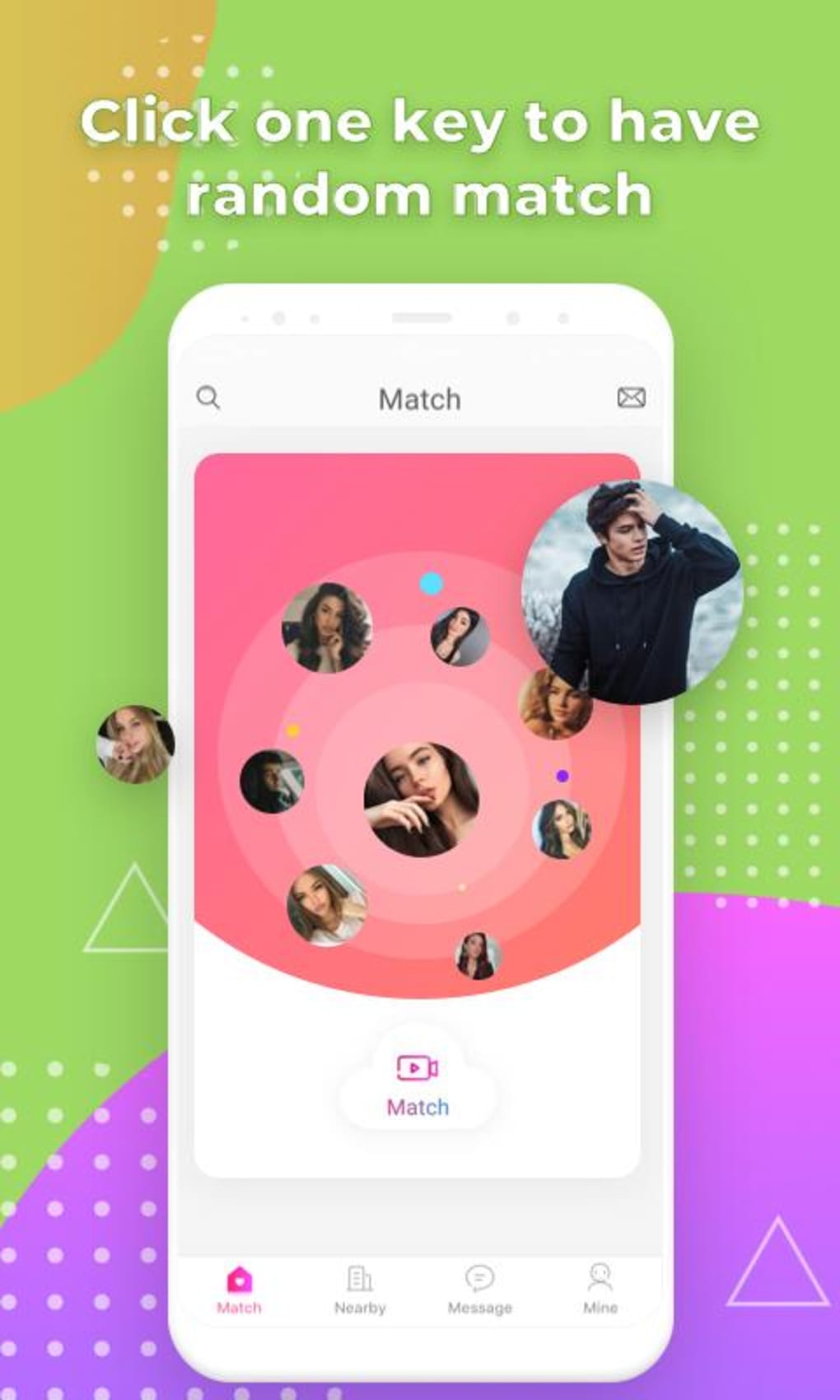
- Simple Match System – A one-tap match button allows users to initiate a video call quickly, reducing friction and streamlining the process of finding a conversation partner.
- Privacy-Focused Design – The app emphasizes user privacy, aiming to create a secure environment where participants can interact without exposing personal information.
- Global and Local Connectivity – Users can connect with people nearby or from different regions, expanding the potential for diverse and culturally rich interactions.
- Minimal Profile Requirements – The app does not require detailed personal information or profile creation, supporting a no-fuss experience for users seeking instant engagement.
These features support use cases such as casual conversation, overcoming social anxiety through low-stakes interactions, or practicing language skills in real time. The simplicity of the interface and the lack of profile-based filtering make Tomato ideal for users who prioritize speed and spontaneity. However, the absence of advanced filtering options, such as interest-based matching or location-specific filters, limits the depth of connection possible. The app’s design prioritizes immediacy over personalization, which may appeal to users seeking novelty but could be a drawback for those looking for more meaningful or targeted interactions.
User Interface, Workflow & Performance
Tomato features a streamlined user interface centered around a single action: matching. The layout is minimal, with the match button prominently displayed, suggesting a focus on simplicity and ease of access. Navigation appears to be direct, with most interactions occurring within the video chat window, reducing the need to switch between multiple screens.
The workflow is designed for efficiency—login, tap match, and start chatting—making it accessible even to users unfamiliar with social apps. Performance details were not specified by the developer, but the app’s small file size of 25 MB suggests a lightweight design optimized for efficient operation. This may contribute to faster load times and lower resource consumption, especially on mid-range Android devices.
The developer did not provide information on CPU or RAM usage, nor did they share details about stability under prolonged use. General software behavior patterns suggest that the app likely maintains a stable connection during short video sessions, though extended usage may vary depending on device capabilities and network conditions.
Compatibility & System Requirements
Tomato is designed for Android devices, with version 1.0.0 released on May 15, 2024. The app has a file size of 25 MB, indicating a compact installation footprint. This suggests compatibility with a wide range of Android devices, including those with limited storage.
However, exact system requirements such as minimum Android version, RAM, or processor specifications were not listed by the developer. Platform compatibility information is limited to Android, and there is no indication of support for iOS or other operating systems. The developer did not specify whether the app requires a stable internet connection or the minimum bandwidth needed for smooth video streaming.
Users should expect standard mobile data or Wi-Fi usage during video sessions, but specific network demands were not disclosed.
Pros and Cons
Pros
- Simple, intuitive interface ideal for quick access to video chats
- Lightweight installation at only 25 MB
- Focus on user privacy during live interactions
- Fast matching system with minimal setup time
- Available for free without in-app purchases or subscriptions
Cons
- Limited control over matching—users cannot filter partners by interests or location
- Lack of detailed profiles or messaging history
- No advanced features like chat rooms or interest-based discovery
- Privacy practices not fully disclosed by the developer
- Dependence on random pairing may result in inconsistent user experiences
FAQ Section
Is Tomato available for iOS devices?
As of the current release, Tomato is only available for Android. There is no official information about iOS support.
Is Tomato safe to use?
Tomato emphasizes user privacy, but specific security measures and data handling policies were not disclosed by the developer. Users are advised to exercise caution when sharing personal information during video chats.
Does Tomato require an internet connection?
Yes, a stable internet connection is required to use Tomato’s live video chat functionality. The app relies on real-time data transmission for video and audio streaming.
How often does Tomato release updates?
The app’s update frequency is not specified. The current version is 1.0.0, released on May 15, 2024.
Can I use Tomato offline?
No, Tomato requires an active internet connection to function. The app does not support offline usage or cached content.
Final Thoughts
Tomato delivers on its core promise: a simple, fast, and privacy-conscious way to meet new people through live video chat. Its minimal design and instant matching system make it an appealing option for users seeking spontaneous social interactions without the overhead of profile creation or complex features. While it lacks advanced tools like interest-based matching or chat rooms, its focus on immediacy and ease of use sets it apart in the crowded social app space.
The app is best suited for casual users, those looking to practice conversation skills, or individuals wanting a fun, low-pressure way to connect online. With a free price model and a lightweight footprint, Tomato offers accessible entry into the world of live video socializing. For users who value simplicity and speed, it stands out as a solid choice.
Download Tomato now.






.png)
